

Overview
In Market Development Funds (MDF) Management, vendor organizations co-fund partner marketing activities to drive pipeline and mutual brand exposure. MDF Objectives serve as the foundational classification layer that links partner marketing fund requests directly to corporate business goals, ensuring every distributed dollar aligns with key vendor strategies like vertical penetration or revenue generation.
Through this administrative interface, program managers can configure the standardized list of marketing objectives available during the MDF request and approval workflow. Maintaining well-defined objectives ensures consistent reporting across fund allocation, partner claims, and marketing campaign performance.
Key Features
- MDF Objective Catalog
- Objective Configuration
- Custom View Creation
- Search & Filter Controls
- Change Impact Analysis
Accessing and Managing MDF Objectives
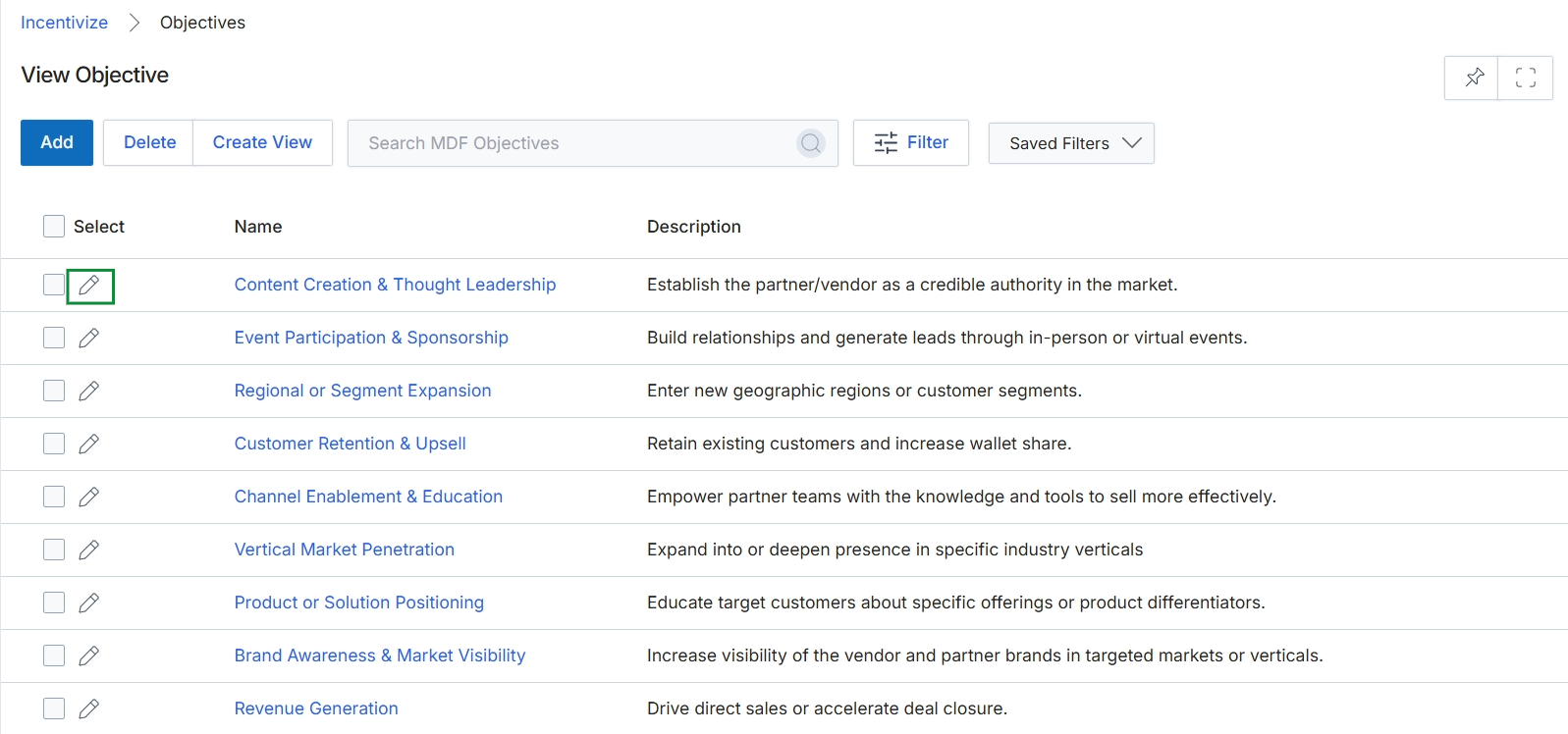
Click the Edit icon next to the objective you want to modify, or click Add to create a new MDF objective.
Configuring Objective Details
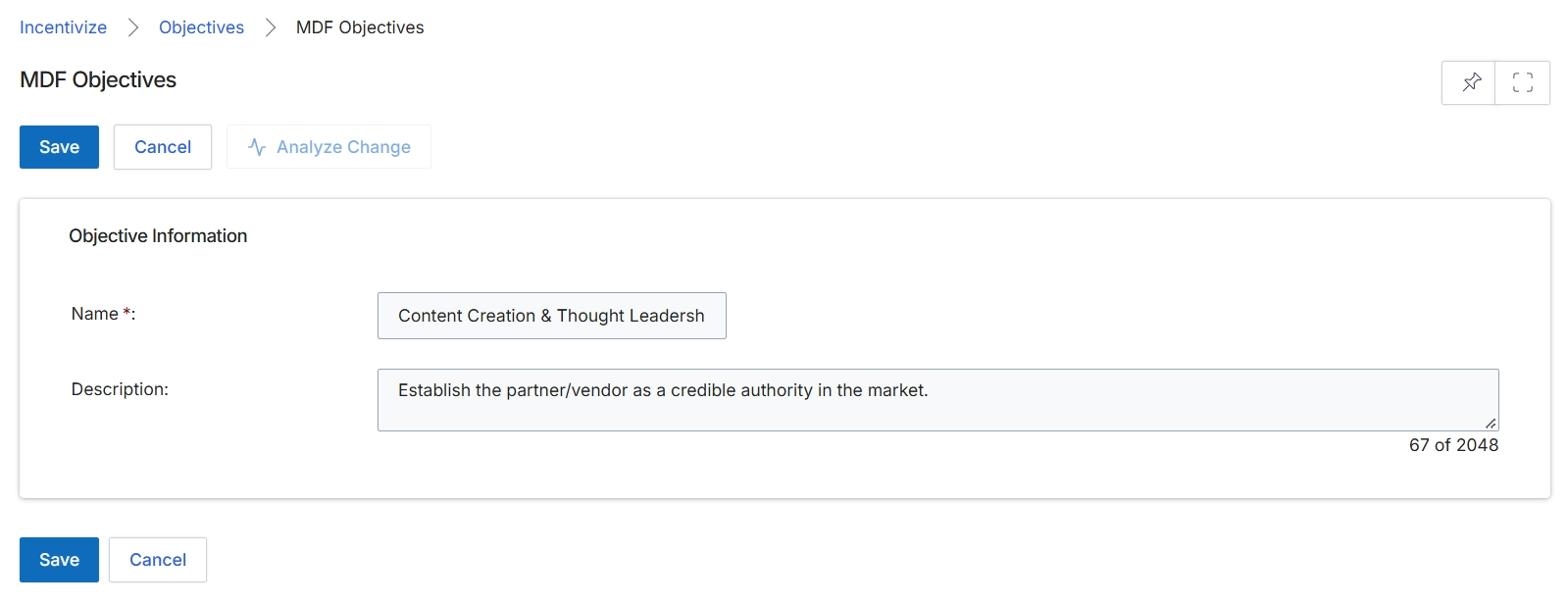
The MDF Objectives configuration screen within the Incentivize module enables administrators to define standardized strategic goals that partners must align with when submitting Market Development Funds requests. Establishing structured objectives ensures that co-funded partner marketing activities—such as content creation, demand generation, or brand awareness—directly support vendor go-to-market priorities and return-on-investment criteria. When partners apply for MDF allocations, linking their proposals to predefined objectives allows channel marketing managers to evaluate strategic merit and approve funding pools accordingly. This editing form captures the core metadata for an objective, establishing its formal identifier and programmatic purpose across the incentive lifecycle.
Enter the objective details in the Name and Description fields under Objective Information.
Buttons
| Button | Description |
|---|---|
| Save | Saves the MDF objective configuration and returns to the objectives list. |
| Cancel | Discards any unsaved modifications and navigates back to the MDF Objectives view. |
| Analyze Change | Assesses the downstream impact of modifications made to the objective on existing fund configurations. |
Objective Information
| Field | Description |
|---|---|
| Name * | The mandatory title identifying the MDF objective across fund applications and co-marketing programs. |
| Description | A detailed explanation outlining the purpose, scope, and intended business outcomes of the objective. |
Frequently asked questions
- What is the purpose of configuring MDF objectives?
MDF objectives provide a standardized classification layer that links partner co-marketing funding requests directly to strategic corporate goals such as brand awareness or lead generation.
- Which field is mandatory when creating an MDF objective?
The Name field is mandatory and serves as the formal title identifying the objective across fund applications and co-marketing programs.
- What is the function of the Analyze Change button?
The Analyze Change button evaluates the downstream impact that modifications made to an objective will have on existing fund configurations.
- How do channel partners use predefined MDF objectives?
Partners select from these predefined objectives when submitting funding proposals, ensuring their marketing activities align with vendor return-on-investment criteria.