

Overview
The Market Development Funds (MDF) Management feature within the Incentivize module allows vendors to co-fund partner-led marketing activities while maintaining strict financial governance. Once partners execute co-marketing campaigns under an approved MDF plan, they submit reimbursement claims to account for their incurred expenses. The View MDF Claims interface provides program administrators with complete oversight of these requests throughout their lifecycle.
From this view, administrators can access comprehensive claim records that detail the requested payout against the approved plan budget, related campaign activities, and full audit trails. The multi-tiered approval history captures submitter details, assigned approvers, action timestamps, and approval statuses, ensuring that disbursements align with partner program guidelines and compliance standards.
Key Features
- MDF Claim Tracking
- Approval History Auditing
- Marketing Plan Association
- Activity Verification
- Custom List Views
- Multi-Level Approval Workflow
Accessing and Filtering MDF Claims
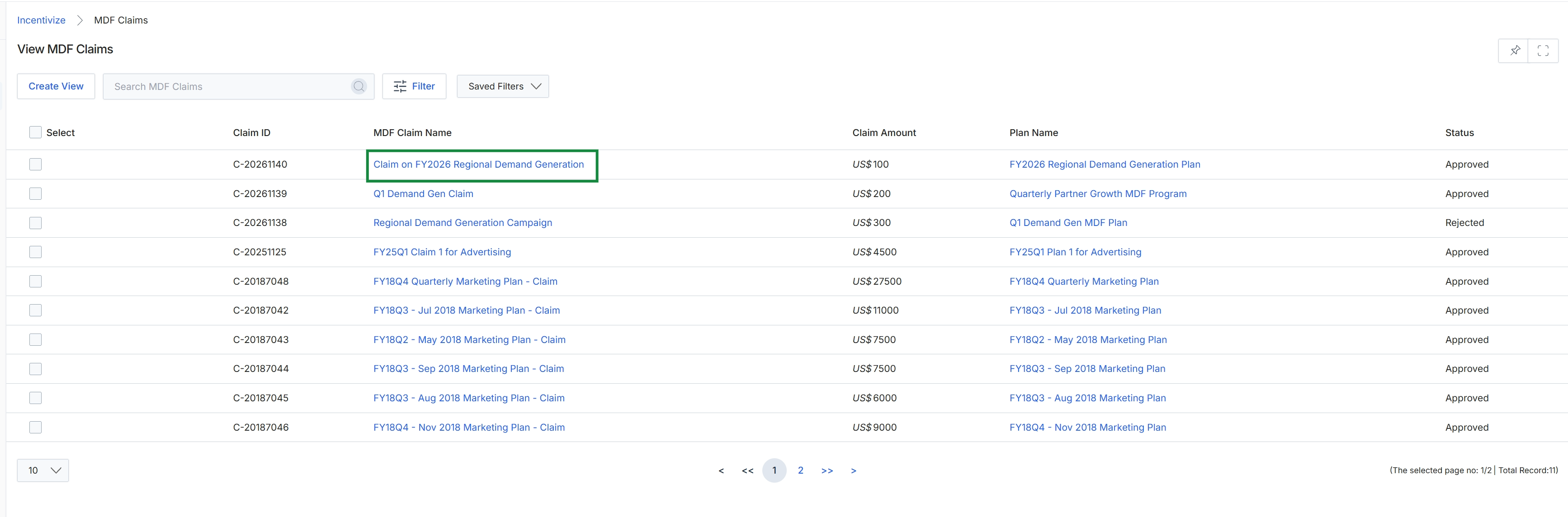
Under the MDF Claim Name column, click the name of the claim you want to view, such as Claim on FY2026 Regional Demand Generation.
Reviewing MDF Claim Details and Approval History
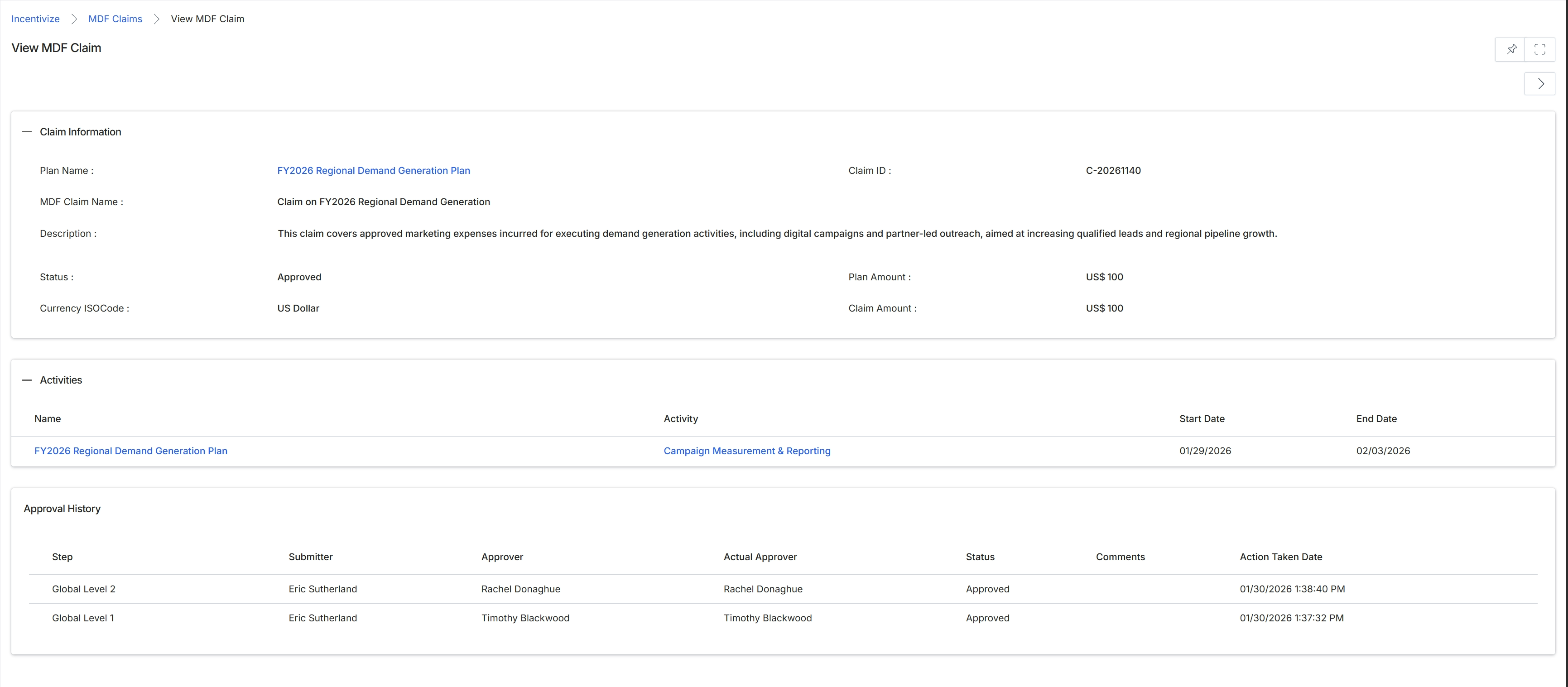
Review the MDF claim record to verify the claim details, associated activities, and multi-tier approval history.
Claim Information
| Field | Description |
|---|---|
| Plan Name | Displays the linked MDF marketing plan associated with this reimbursement claim. |
| Claim ID | Displays the unique system-generated identifier for the MDF claim. |
| MDF Claim Name | Displays the descriptive title of the submitted claim. |
| Description | Displays the summary of marketing expenses incurred and the business justification for the claim. |
| Status | Displays the current review and workflow state of the claim. |
| Plan Amount | Displays the total approved budget allocated to the overarching marketing plan. |
| Currency ISOCode | Displays the operating currency applied to the plan and claim financial amounts. |
| Claim Amount | Displays the requested reimbursement value submitted by the partner. |
Activities
| Column | Description |
|---|---|
| Name | Lists the plan name corresponding to each executed marketing activity. |
| Activity | Lists the specific category or type of marketing effort delivered. |
| Start Date | Lists the commencement date for the specified marketing activity. |
| End Date | Lists the conclusion date for the specified marketing activity. |
Approval History
| Column | Description |
|---|---|
| Step | Lists the workflow stage or approval tier in the governance hierarchy. |
| Submitter | Lists the user who routed the claim into the approval queue. |
| Approver | Lists the designated individual assigned to evaluate the claim at this step. |
| Actual Approver | Lists the specific user who executed the approval decision. |
| Status | Lists the decision outcome rendered at each approval milestone. |
| Comments | Displays reviewer notes or feedback submitted during evaluation. |
| Action Taken Date | Displays the date and timestamp when the reviewer completed their action. |
Frequently asked questions
- What information is tracked in the View MDF Claims interface?
The interface tracks reimbursement request amounts against approved plan budgets, linked campaign activities, and complete multi-tier approval audit trails.
- What details are displayed in the claim approval history?
The approval history records each workflow tier, submitter name, designated approver, actual approver, decision outcome, reviewer comments, and action timestamps.
- How can users access an individual MDF claim record?
Users navigate to the View MDF Claims list page and select the specific claim link under the MDF Claim Name column.
- What activity details are shown on an MDF claim?
The activities section displays the associated marketing plan name, the category of marketing effort delivered, and the activity start and end dates.