

Overview
In the Market Development Funds (MDF) Management framework, Contribution Rules govern how co-marketing program expenses are split between the vendor (OEM) and participating channel partners. By defining precise OEM and partner percentage splits for specific partner groups, tiers, and fiscal periods, vendors ensure equitable and structured co-investment in demand generation initiatives.
The View a Contribution Rule interface allows administrators to navigate the registry of all defined budget sharing rules and drill into detailed records. Within each rule, administrators can verify critical configuration details including the assigned partner group, fiscal year applicability, and exact cost-share ratios, ensuring compliance with channel incentive policies prior to MDF request approvals.
Key Features
- Contribution Rule Repository
- OEM-Partner Split Tracking
- Assigned Group Mapping
- Fiscal Year Allocation
- Custom List Views
- Rule Modification Access
Navigating Contribution Rules
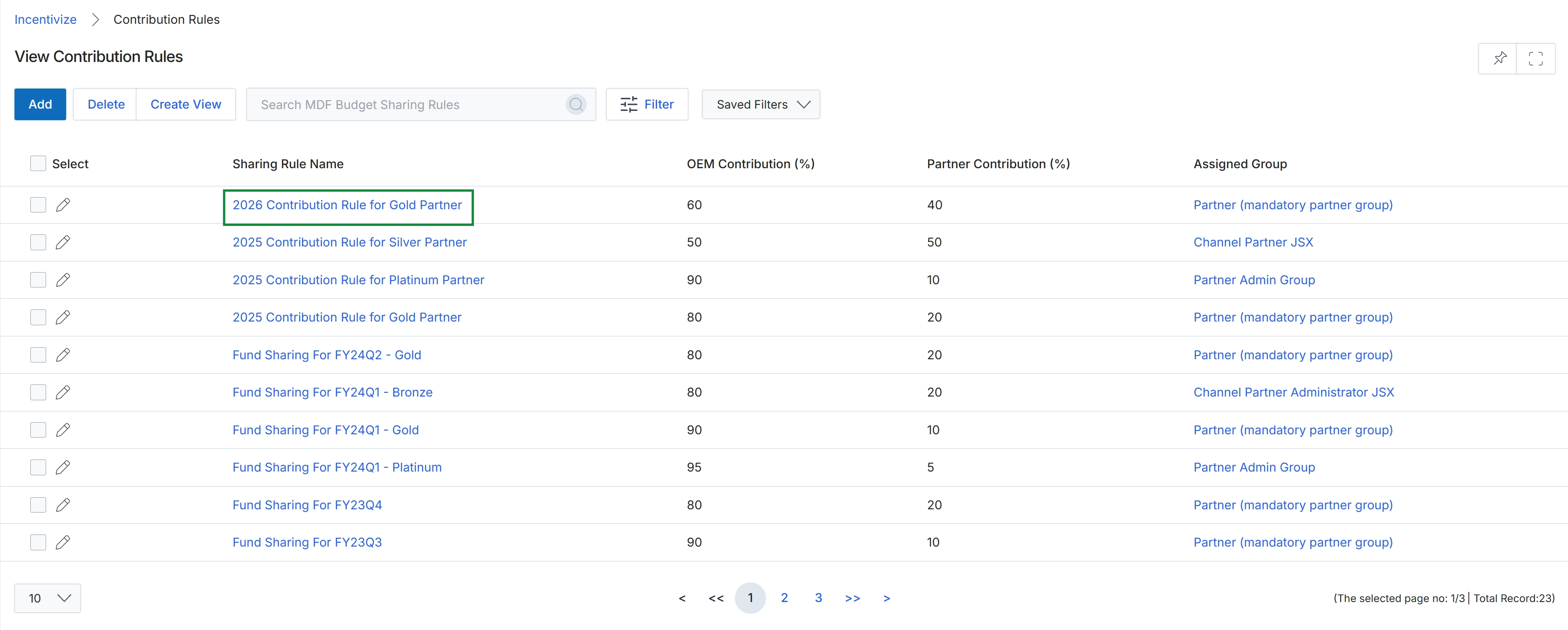
Under the Sharing Rule Name column, click 2026 Contribution Rule for Gold Partner to open its details.
Reviewing Contribution Rule Details
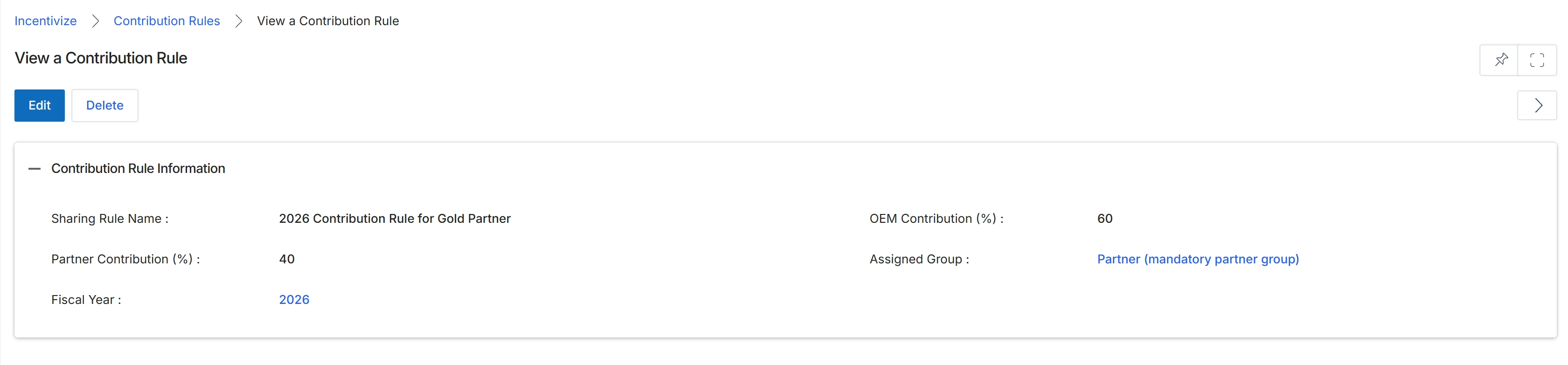
Review the details of the configured contribution rule in the Contribution Rule Information section.
Buttons
| Button | Description |
|---|---|
| Edit | Opens the edit form to modify the contribution rule parameters. |
| Delete | Removes the contribution rule record from the platform. |
Contribution Rule Information
| Field | Description |
|---|---|
| Sharing Rule Name | Displays the name assigned to the contribution rule. |
| OEM Contribution (%) | Displays the percentage share of fund contributions provided by the vendor. |
| Partner Contribution (%) | Displays the required percentage share of fund contributions provided by the partner. |
| Assigned Group | Displays the partner group assigned to this contribution rule. |
| Fiscal Year | Displays the fiscal year during which the rule is applicable. |
Frequently asked questions
- What is an MDF contribution rule?
A contribution rule defines how co-marketing program expenses are split between the vendor and participating channel partners for specific groups, tiers, and fiscal periods.
- What details can administrators verify when viewing a contribution rule?
Administrators can inspect the sharing rule name, OEM contribution percentage, partner contribution percentage, assigned partner group, and applicable fiscal year.
- Why should administrators audit contribution rules before disbursing funds?
Auditing rules ensures compliance with channel incentive policies and confirms accurate cost-share splits prior to approving MDF requests.
- What actions can be taken from the contribution rule details screen?
Administrators can select Edit to update rule parameters or select Delete to remove the contribution rule record from the platform.