

Overview
Market Development Funds (MDF) allow vendors to co-fund partner-led demand generation, local events, and brand campaigns to accelerate ecosystem pipeline. Within the Incentivize module, fund pools establish the financial boundaries for partner co-marketing initiatives, linking specific funding limits to partner accounts for given fiscal years.
The View Funds screen provides channel finance and program managers with real-time oversight of these capital pools. Administrators can quickly audit total assigned funds alongside real-time available amounts, verify drawdown as MDF plans and claims progress, and maintain budget accountability across partner tiers.
Key Features
- MDF Budget Allocation
- Available Balance Tracking
- Partner Account Mapping
- Fiscal Year Segmentation
- Custom View Creation
- Fund Search & Filtering
- Batch Record Deletion
Navigating to MDF Funds
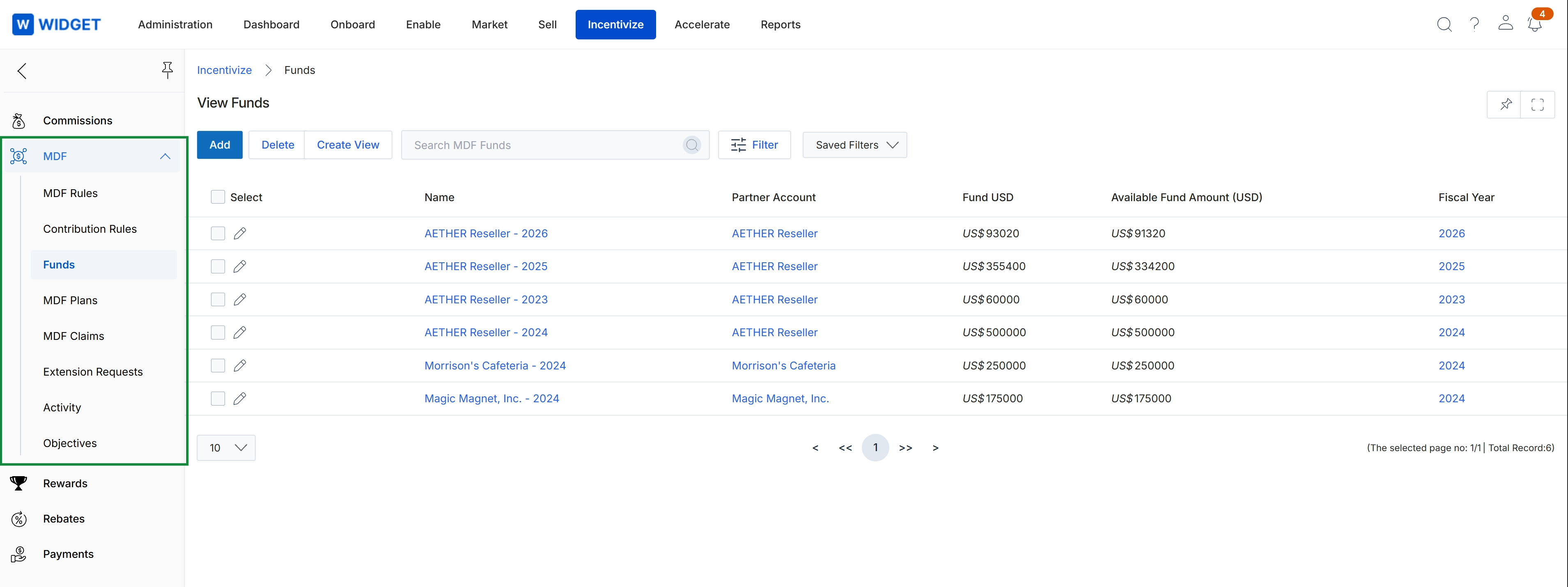
Click Incentivize → MDF → Funds.
Viewing and Managing Fund Allocations
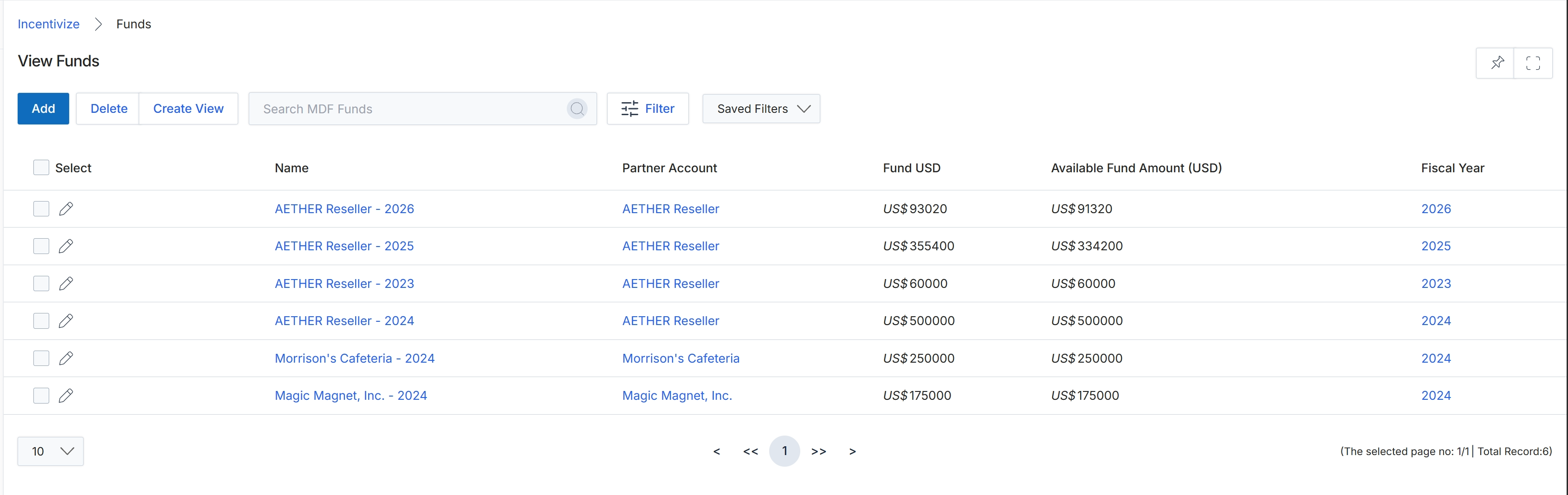
This list view displays configured Market Development Funds (MDF) budget pools allocated to partner accounts across specific fiscal years. Administrators use this dashboard to monitor overall fund commitments alongside real-time available fund balances for each partner. It serves as a central governance hub within the Incentivize module to manage fund allocations, track remaining balances, and maintain fiscal-year marketing budgets.
Frequently asked questions
- What is the purpose of the View Funds dashboard?
The View Funds dashboard provides a centralized interface for tracking Market Development Fund budget pools allocated to partner accounts across specific fiscal years. It enables channel administrators to monitor total commitments versus remaining balances and audit partner co-marketing spend.
- How do administrators navigate to the View Funds page?
Administrators can access the list by navigating to Incentivize, selecting MDF, and clicking Funds.
- What core features are available on the View Funds screen?
Key capabilities include MDF budget allocation tracking, partner account mapping, fiscal year segmentation, custom view creation, fund searching and filtering, and batch record deletion.