

Overview
Market Development Funds (MDF) incentivize channel partners to run local demand-generation and brand-building campaigns co-sponsored by the vendor. To maintain governance and verify fund compliance, program managers define specific activity types that partner organizations can select during the MDF application and claim processes.
The Activity interface acts as the master repository for eligible marketing categories, allowing administrators to establish detailed descriptions, acceptable expenditure parameters, and documentation expectations for each activity. Standardizing these categories ensures that partner applications align with broader corporate objectives and facilitates structured tracking of marketing ROI across the partner network.
Key Features
- MDF Activity Catalog
- Activity Definition & Scoping
- Search & Filter Tools
- Custom List Views
- Change Impact Analysis
Viewing and Managing MDF Activities
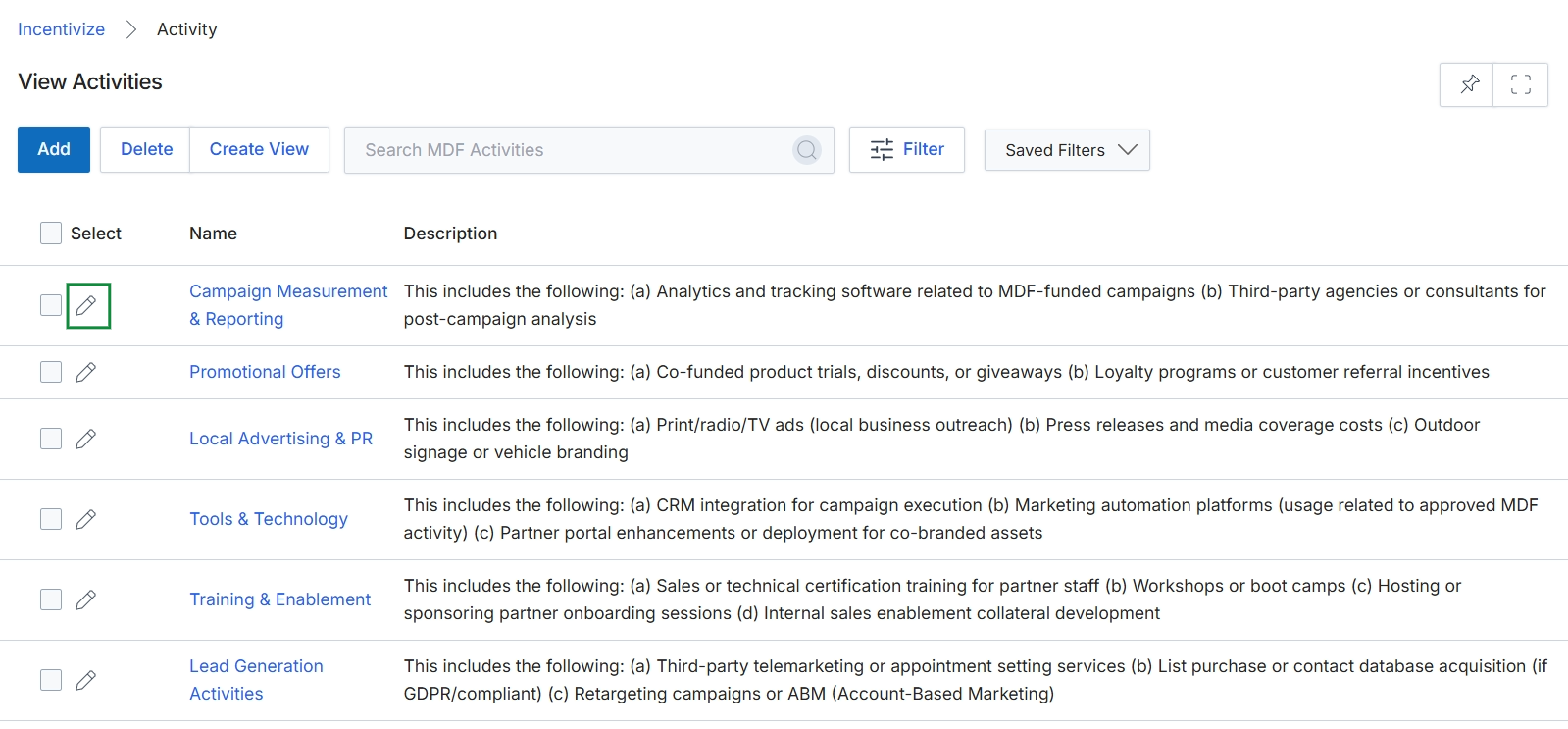
Click the Edit icon next to the activity you want to modify, or click Add to create a new activity.
Configuring Activity Details
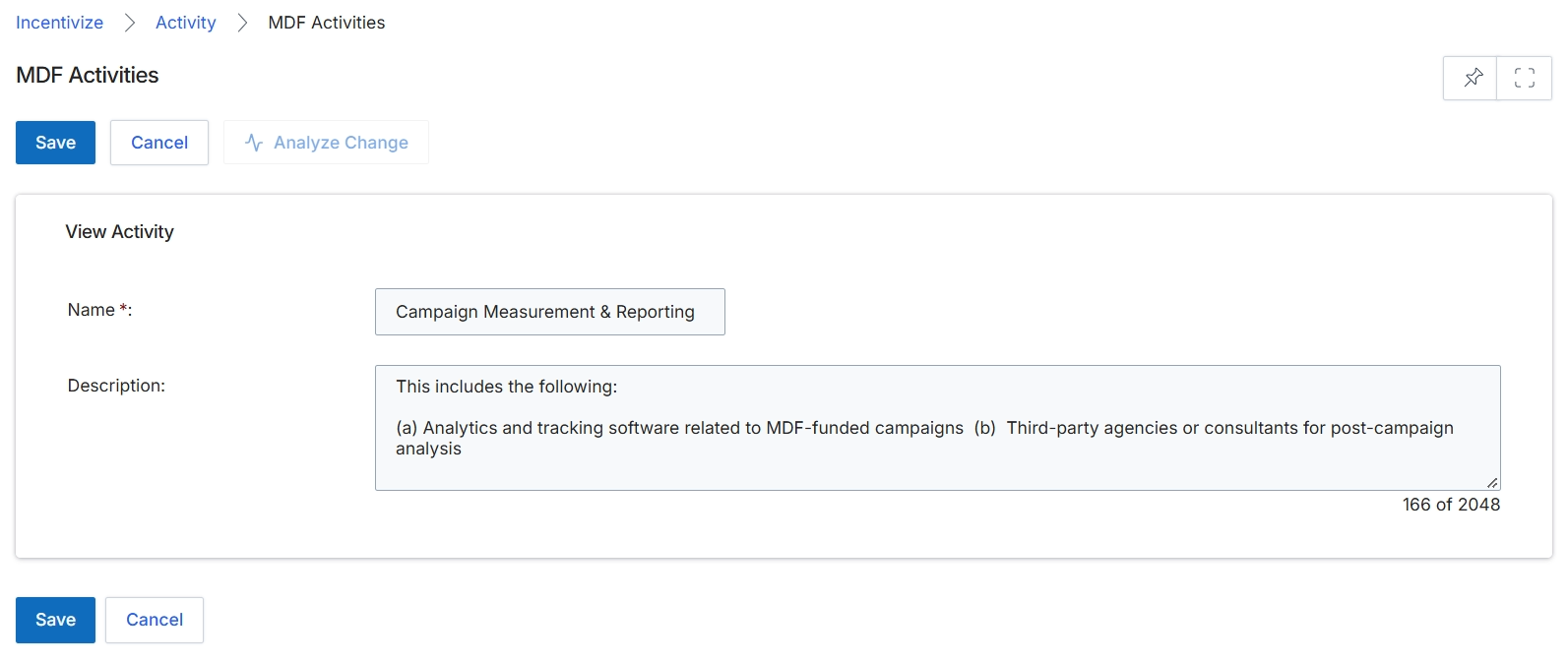
The MDF Activities screen allows administrators to configure and manage eligible marketing activity types within the Market Development Funds module. Activities defined here represent the pre-approved categories of partner marketing initiatives—such as campaign measurement, events, or advertising—that channel partners can select when requesting MDF funds or submitting reimbursement claims. Standardizing activity types ensures governance over co-marketing budgets and aligns partner expenditures with vendor program guidelines. Administrators use this view to define the activity name and provide clear expenditure criteria so partners understand which costs are eligible for funding.
Enter the activity name and provide a detailed description outlining eligible expenses for the MDF activity.
Buttons
| Button | Description |
|---|---|
| Save | Saves the activity configuration and updates the MDF Activities list. |
| Cancel | Discards unsaved changes and navigates back to the previous view. |
| Analyze Change | Evaluates the potential impact or dependency changes resulting from modifications to the activity. |
View Activity
| Field | Description |
|---|---|
| Name * | The mandatory name of the MDF activity type displayed to partners during fund requests. |
| Description | A detailed description defining eligible expenses, scope, and requirements associated with this activity type. |
Frequently asked questions
- What is an MDF activity?
An MDF activity is a standardized category of co-marketing initiatives, such as local advertising or events, that partners select when requesting funds or submitting reimbursement claims.
- Who configures marketing activities in the MDF module?
Program administrators configure and maintain the activity catalog to ensure partner marketing initiatives comply with corporate funding guidelines.
- What fields are required when adding an MDF activity?
Administrators must enter a mandatory activity name and can provide a detailed description outlining eligible expenses, scope, and requirements.
- What is the purpose of the Analyze Change button?
The Analyze Change button evaluates potential impacts or dependency changes resulting from modifications to an existing activity.