

Overview
In the Incentivize module, Market Development Funds (MDF) empower vendors to co-fund partner-led go-to-market and demand-generation initiatives. To maintain brand alignment, compliance, and structured ROI tracking, vendors must standardize the types of marketing initiatives partners are permitted to execute with allocated co-op funds.
The View Activities section allows administrators to curate and govern this approved activity catalog. Each entry defines specific eligible expenses and tactical scopes—such as campaign measurement, enablement workshops, or lead generation campaigns—ensuring partners select valid categories during proposal creation and claim submission.
Key Features
- MDF Activity Repository
- Activity Catalog Management
- Custom List Views
- Activity Search & Filtering
- Bulk Record Deletion
Navigating to MDF Activities
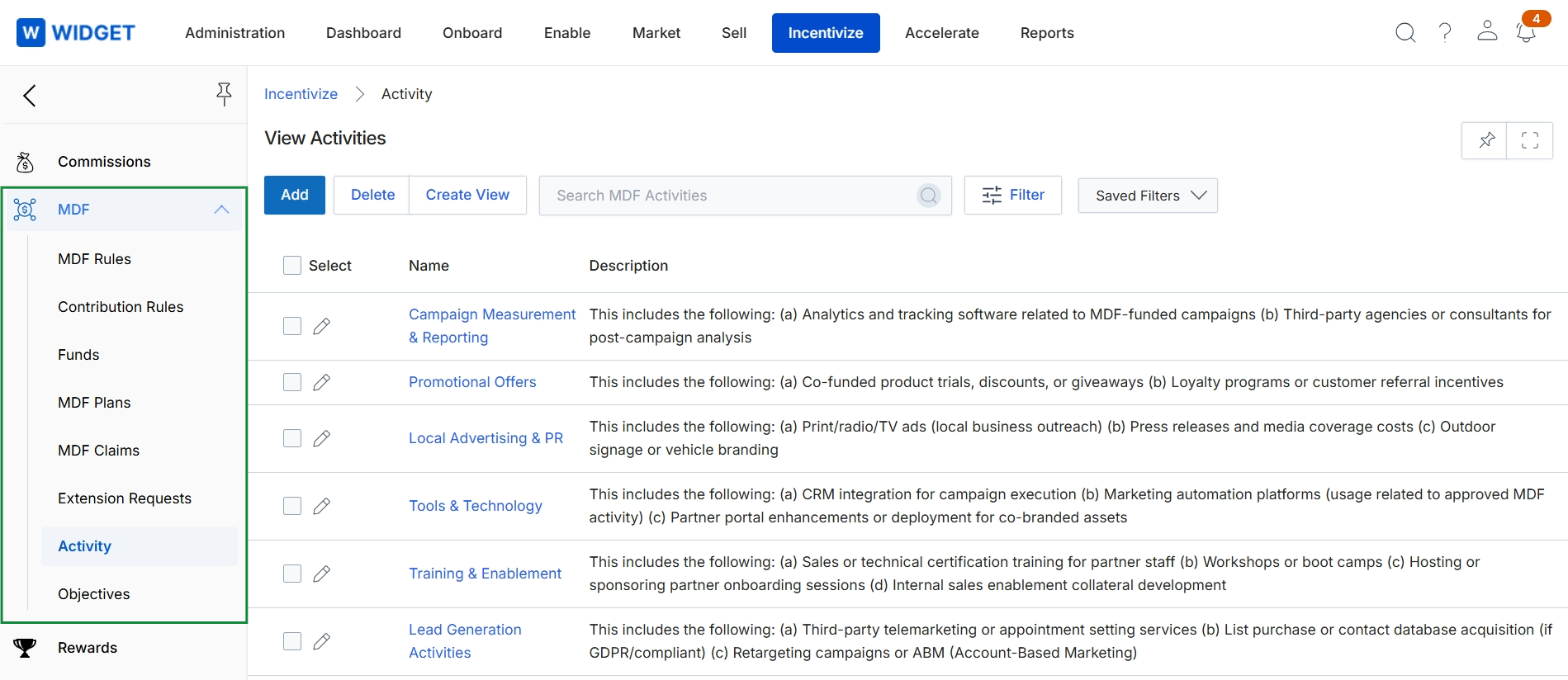
Click Incentivize → MDF → Activity.
Managing MDF Activity Categories
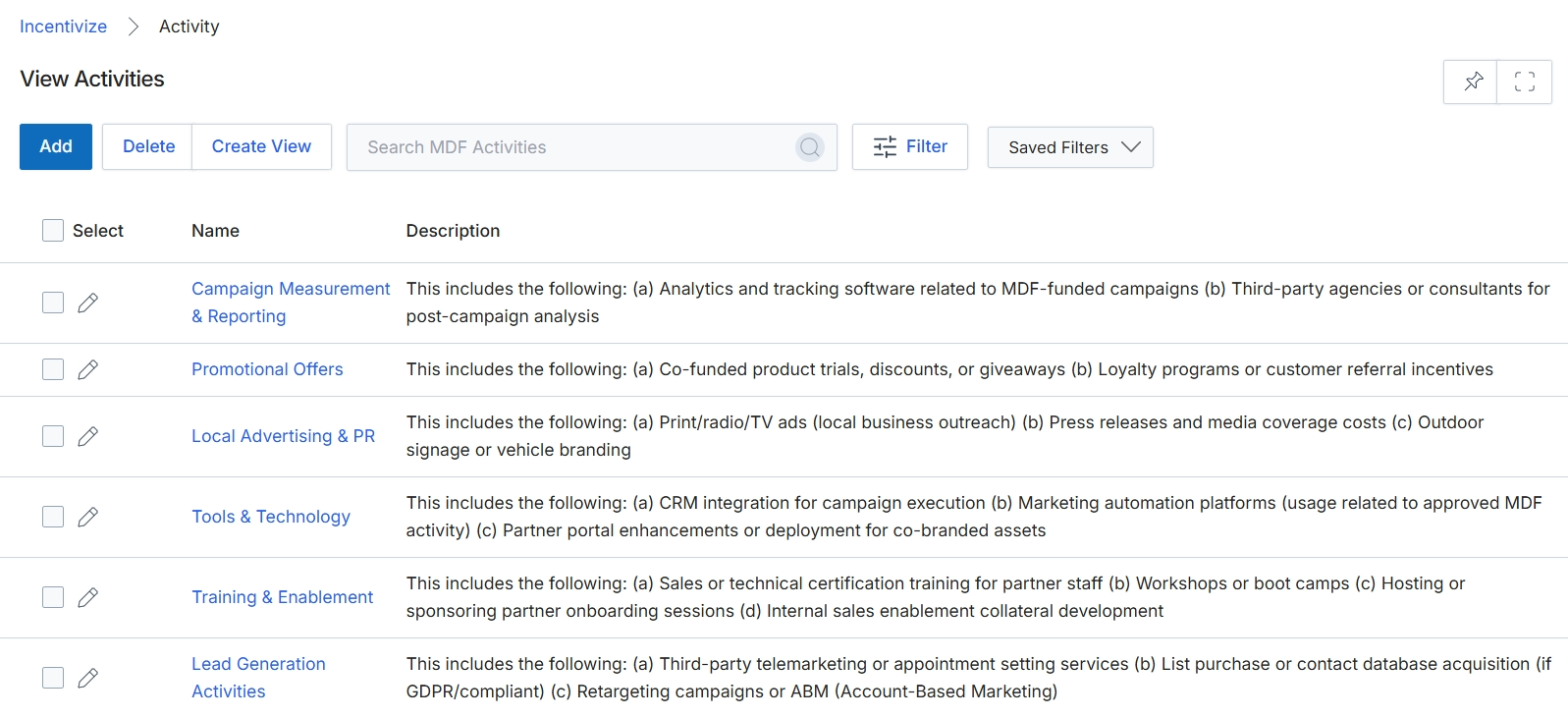
This screen displays the catalog of configured Market Development Fund (MDF) activity types that define eligible marketing, enablement, and demand-generation initiatives available for co-funding. Each activity entry outlines permissible campaign scopes and allowable expenditures—ranging from local advertising and lead generation to technology integration and training. Program administrators utilize this centralized directory within the Incentivize zone to standardize submission criteria and enforce compliance rules across partner fund requests.
Frequently asked questions
- What is the purpose of the View Activities interface in MDF?
It serves as the centralized repository for managing standardized MDF marketing and enablement activity categories. Administrators use it to curate and govern approved initiative types that partners can select for co-funding.
- How do partners use approved MDF activity categories?
Partners select from the configured activity catalog when submitting MDF proposals and reimbursement claims. This ensures their proposed activities match pre-approved scopes and allowable expenditure rules.
- How do administrators navigate to the MDF activities screen?
Administrators can access the list view by navigating to Incentivize, choosing MDF, and selecting Activity.
- What key features does the View Activities section offer?
Key capabilities include activity catalog management, custom list views, search and filtering tools, and bulk record deletion.