

Overview
In the Incentivize zone, Market Development Funds (MDF) enable vendors to co-fund partner marketing campaigns and initiatives that drive pipeline and brand awareness. Strategic alignment is critical to MDF program success; vendors must ensure that partner proposals support overarching go-to-market priorities. The Objectives configuration area establishes the master taxonomy of acceptable campaign goals that partners and channel managers reference throughout the MDF planning, application, and approval workflows.
From the View Objective page, administrators maintain the list of available strategic goals along with clear definitions of their intended outcomes. Standardized objectives—such as Brand Awareness & Market Visibility, Vertical Market Penetration, or Customer Retention & Upsell—provide clarity for partners drafting MDF plans while equipping program managers with consistent metrics to evaluate and approve funding requests.
Key Features
- MDF Objective Catalog
- Custom View Creation
- Objective Filtering & Search
- Inline Record Management
- Saved Filters Management
- MDF Configuration Navigation
Navigating to MDF Objectives
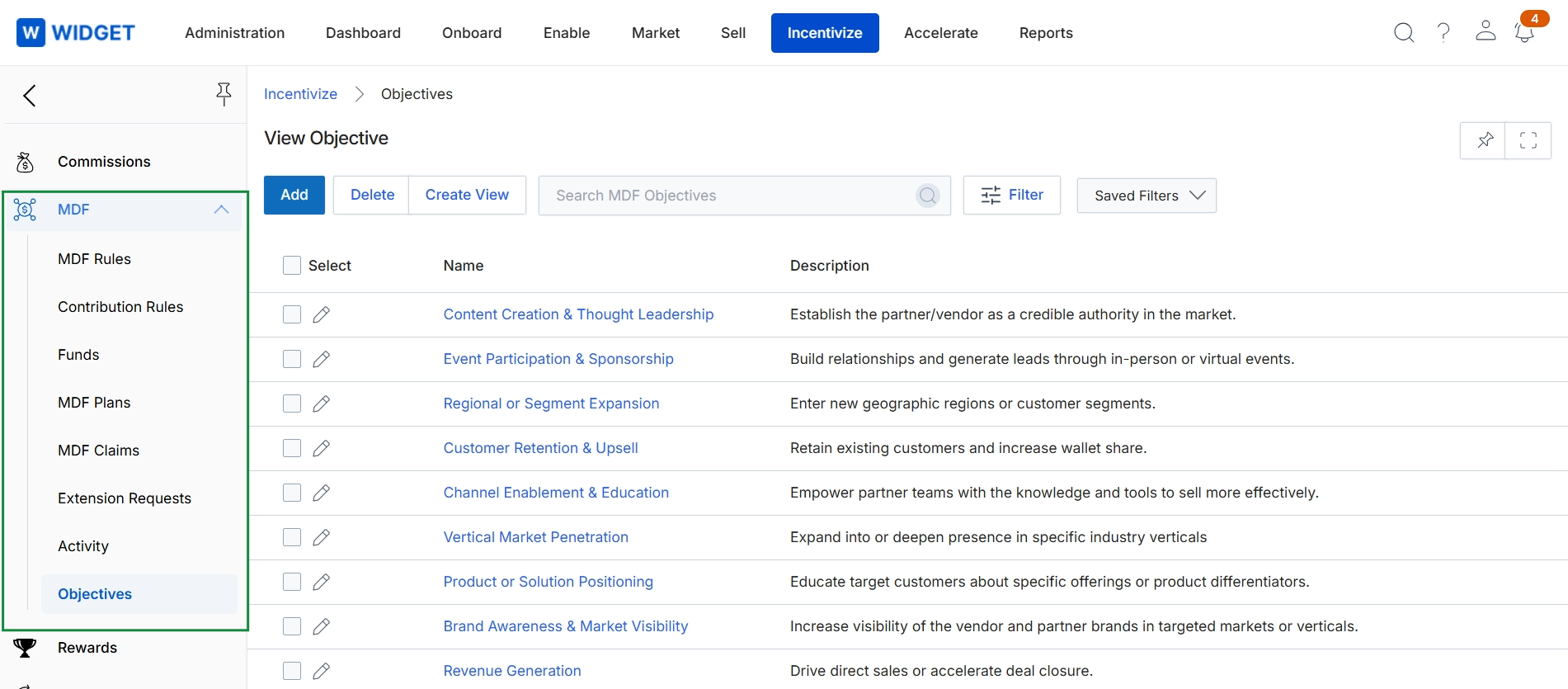
Click Incentivize → MDF → Objectives.
Viewing and Managing Objectives
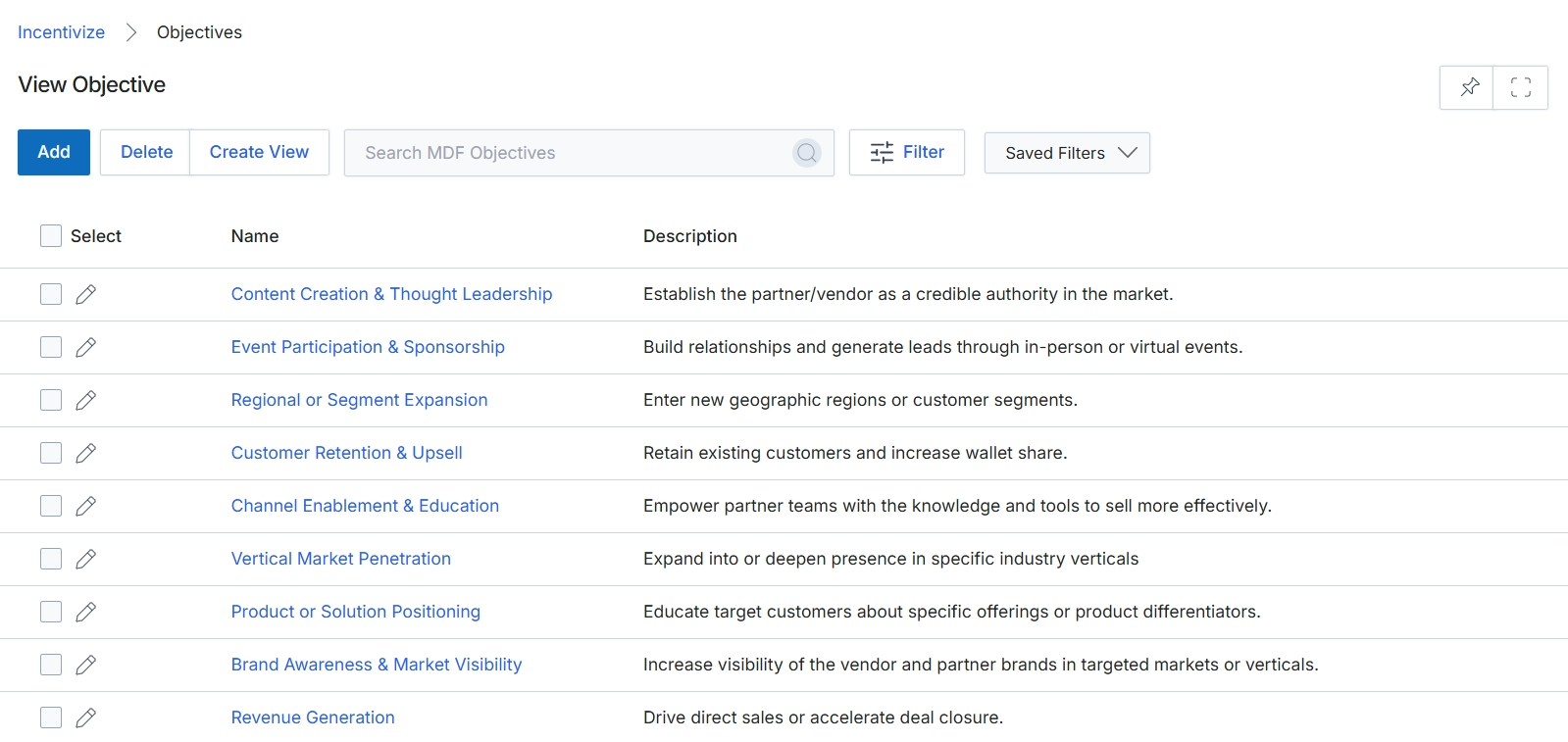
This screen displays the list of configured Market Development Funds (MDF) objectives within the Incentivize module. Administrators use this view to manage the strategic co-marketing goals that partners align with when submitting fund requests and activity proposals. Each entry defines a targeted business outcome, ensuring partner marketing investments remain compliant with corporate channel strategy.
Frequently asked questions
- What is the purpose of the View Objective screen?
It provides a centralized administrative repository to configure and maintain standardized marketing goals across Market Development Funds programs.
- Who manages MDF objectives in the platform?
Program administrators configure, update, and remove objectives to ensure partner co-marketing aligns with corporate strategic priorities.
- How do partners use configured MDF objectives?
Partners select from these predefined strategic goals when drafting and submitting MDF activity proposals and funding requests.
- How do administrators navigate to the Objectives screen?
Administrators access the list screen by navigating to Incentivize, selecting MDF, and clicking Objectives.