

Overview
Market Development Funds (MDF) are a critical incentive mechanism designed to co-fund partner marketing campaigns, lead-generation programs, and enablement events. Through the Incentivize zone, administrators maintain full financial and operational control over co-marketing investments by configuring eligibility criteria, allocation cadences, and application structures customized by partner tier or account scope.
The MDF management suite streamlines the entire lifecycle of co-marketing funds—from annual and quarterly budget distribution to plan approval, proof-of-performance claim validation, and extension processing. By aligning fund entitlements with measurable partner commitments, organizations can track campaign ROI, prevent budget slippage, and maintain transparent audit trails across all disbursement workflows.
Key Features
- MDF Rule Engine
- Fund Budget Allocation
- MDF Plan Review
- Claim Reimbursement Management
- Extension Request Tracking
- Partner Tier Entitlements
Navigating the Incentivize MDF Hub
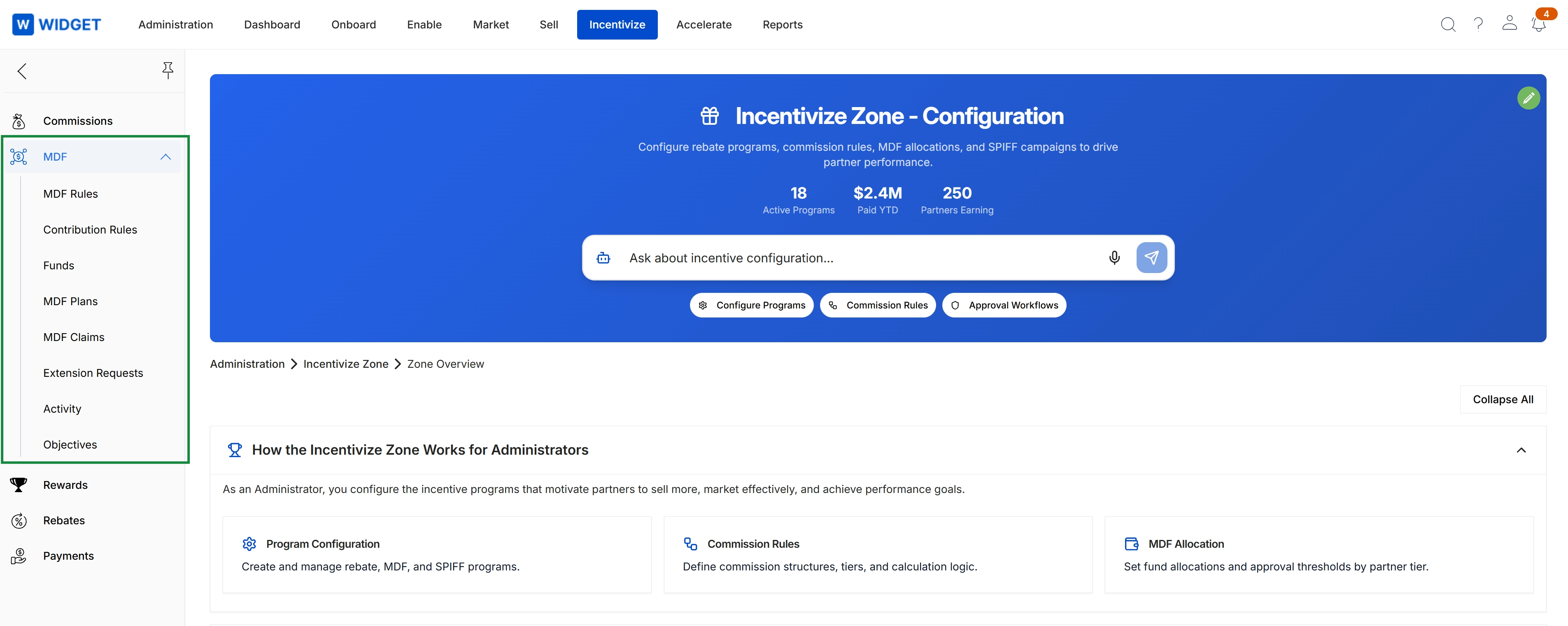
Click Incentivize → MDF.
Accessing and Viewing MDF Rules
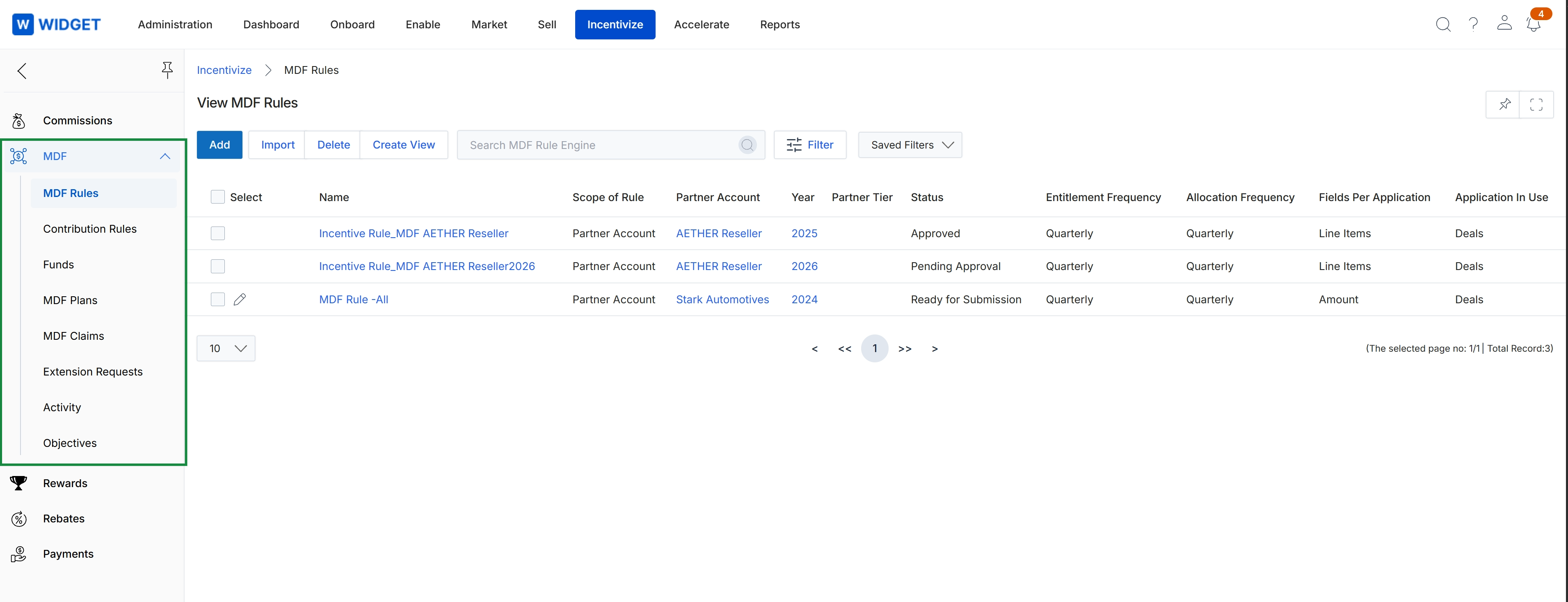
This screen displays the View MDF Rules list within the Incentivize module, where administrators manage Market Development Funds policies and governance structures. It presents configured MDF rules alongside operational parameters such as rule scope, targeted partner accounts, active program years, approval statuses, and allocation frequencies. Program managers utilize this centralized repository to oversee fund eligibility guidelines and review application settings before partners plan or claim co-marketing funds.
Frequently asked questions
- What is the purpose of Market Development Funds (MDF) management?
It provides a centralized repository and governance framework to co-fund partner marketing, demand generation, and enablement activities while maintaining financial accountability.
- Who uses the MDF feature?
Administrators configure fund allocation rules, monitor budgets, and validate claims, while channel partners submit marketing plans and reimbursement requests.
- Where do administrators access MDF rules in the platform?
Administrators can navigate to the feature by selecting Incentivize from the navigation menu and clicking MDF.
- What operational parameters are tracked in the MDF rules list?
The list displays rule scope, targeted partner accounts, active program years, approval statuses, and allocation frequencies.
- What core capabilities are included in the MDF management suite?
Key capabilities include the MDF rule engine, fund budget allocation, marketing plan reviews, claim reimbursement validation, extension request tracking, and partner tier entitlements.